
Build your family tree — right now
Here is a sample family tree. Click around and see how it works: add parents, spouses and children with a single click. That's exactly how the tree is built in your account — together with your whole family.
A tree the whole family builds
Invite relatives to your account: an aunt will remember the cousins, a grandfather the name of the village, a niece will send a photo from the album. Every addition is visible to everyone right away, and what the genealogists find goes into the same tree. That way no branch gets lost.
- Invitation by email, sign-in by code — relatives get in with no passwords or setup
- Everyone sees the same tree — from phone, tablet and computer
- Memories and photos are sent to the family Relic Chat — and land in the archive
Start your tree right here
Add yourself and the people you remember — no registration needed. When you want to save it and continue with your family, create an account and this tree will move there in full.
Nothing is sent to the server: until you create an account, the tree is stored only in this browser.
When you first sign in to your account, the tree will be transferred automatically — with all names, dates and relationships.
What the tree can do
Everything you need for serious genealogy — in your browser, with no software to install. And it's all connected to the rest of the platform.
4 view modes
Ancestors, descendants, the “hourglass” (ancestors above, descendants below), and the whole family as one forest. Anyone can be made the root person.
A relative in one click
Buttons for Father, Mother, Spouse, Child, and Sibling. The platform makes sure there are never two fathers or closed loops.
Marriages and lines
Marriage date and status, remarriages, children from different spouses, unmarried parents — everything is shown correctly and clearly.
Compatible with every program
Via GEDCOM, the common language of genealogy software. Bring your tree over from Drevo Zhizni, MyHeritage, or Gramps (up to 3,000 people), or export yours as a single file.
Family statistics
Generations, marriages, average life span, the most common names and birthplaces — all calculated automatically.
Memory pages
Every person in the tree is a profile with a biography, photos, and a “river of life” that can be published with its own QR code.
Learn moreOur tree is compatible with all the others
GEDCOM is the common language of genealogy software: a file that records people, dates, places, and relationships. It is understood by Drevo Zhizni, MyHeritage, Gramps, Family Tree Builder, and dozens of other programs. Bring your work over to us — names, dates, marriages, and notes will be preserved — or export your tree for archiving and printing.
- Import up to 3,000 people with relationships and biographies
- One-click export — a .ged file in UTF-8 encoding
- Plus PNG — an image of the tree for printing and the family chat
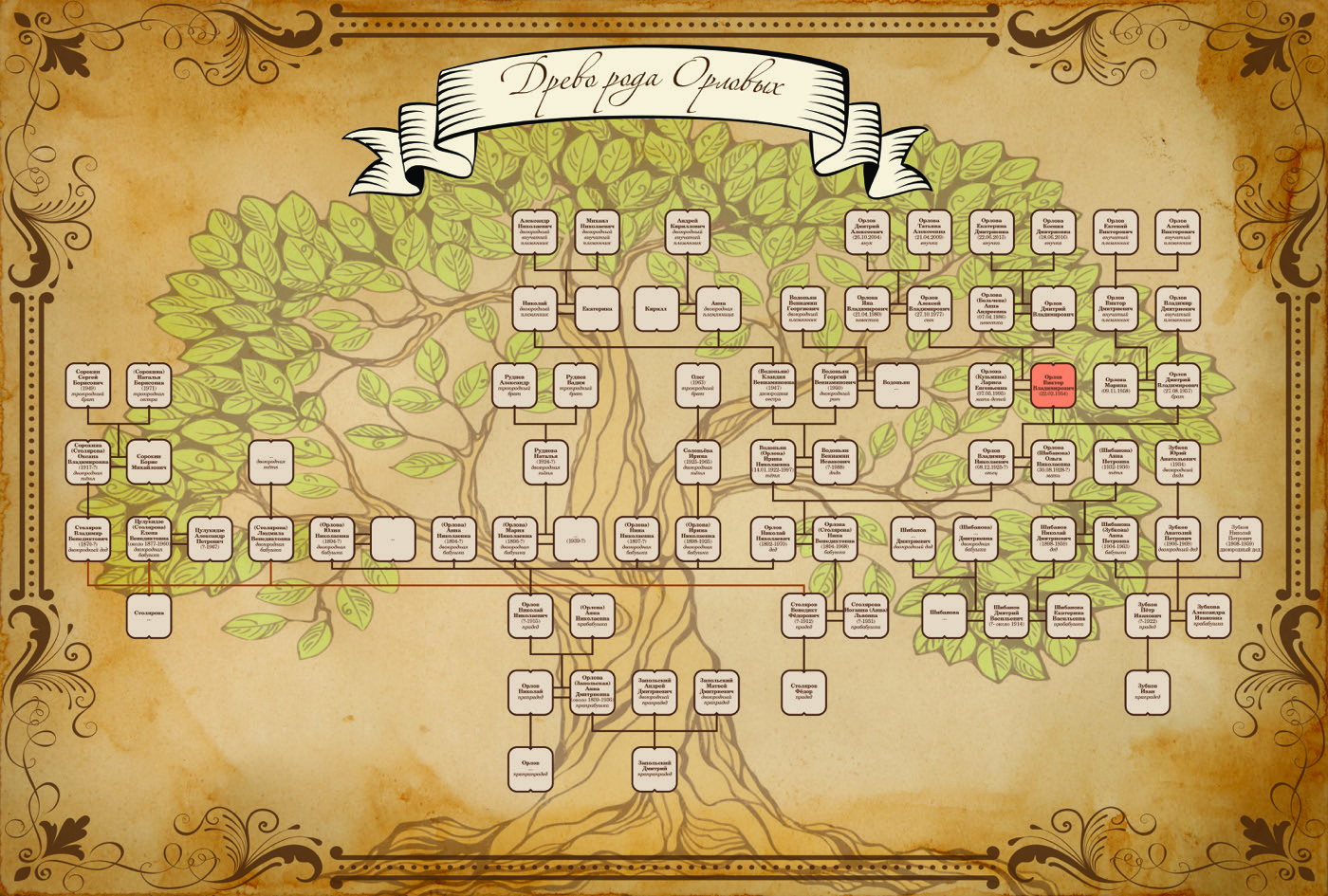
The tree you build is easy to print and hang on the wall
Dress up your finished tree in one of the artistic templates and print it: from a clean chart on paper to a framed canvas above the family table. Order in your account's store; delivery across Russia.
Build a treeQuestions about the tree
How to build, import, print, and share.
How is the builder different from the Drevo Zhizni program?
How do I build the tree together with relatives?
How many people can I add to the tree?
What is GEDCOM and why do I need it?
What if I make a mistake in the relationships?
Can I print the tree?
How do I turn a person's profile into a memory page?
Will the tree appear on the family website?
Your tree is waiting for its first person
Free, with nothing to install. Start with yourself or the oldest ancestor you remember — the rest is built out with buttons, and your relatives will add their part.